Steps to open a Word document
- Open the editor at wordcraft.run/editor. The first visit downloads the app (12 to 15 MB compressed); later visits open from your browser’s cache.
- Drag the .docx onto the page, or click the File tab and choose Open, then Browse…. The browser asks you to pick a file; it stays on your computer.
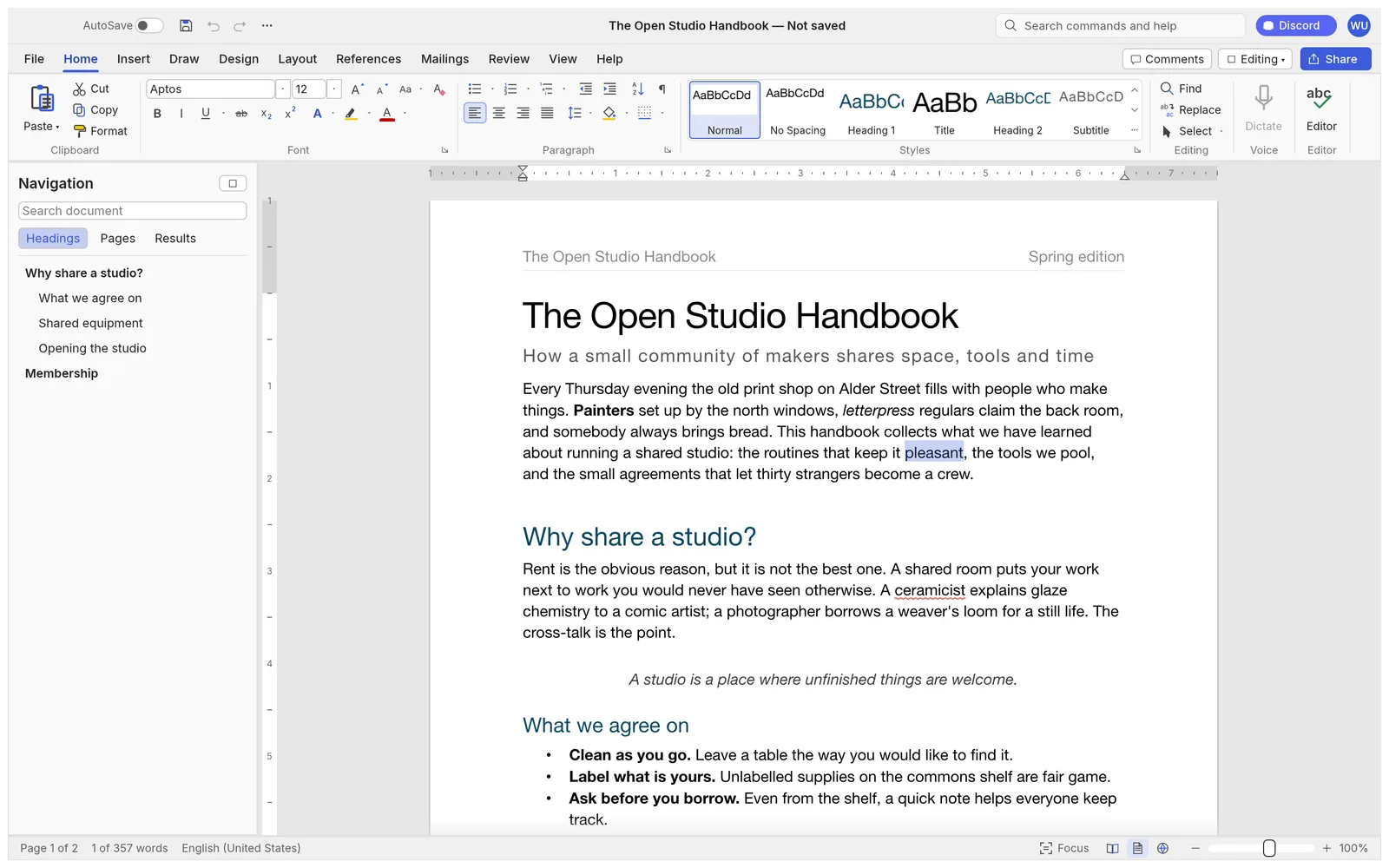
- Edit it. The ribbon has Word’s tabs: Home for fonts, paragraphs and styles; Insert for tables, pictures, shapes, links, headers and footers; Layout for margins, columns and breaks; References for contents and footnotes; Review for comments and Track Changes.
- Save with Ctrl/⌘+S or File › Save. The browser downloads the document under its own name, as a .docx; check your Downloads folder.
Which files can it open?
| Format | Open | Save |
|---|---|---|
Word document .docx (and .docm, .dotx, .dotm) | Yes | Yes. Macros in a .docm are kept but never run |
Word 97-2003 .doc | Yes | No: saves as .docx |
OpenDocument .odt, Rich Text .rtf, web page .html | Yes | Through File › Export |
Markdown .md, LaTeX .tex, plain text .txt | Yes | Through File › Export |
| No | Through File › Export (see Word to PDF) |
Whatever you open, File › Save downloads a .docx, so nothing is lost on the way. To keep another format, use File › Export and pick it from the list.
What comes through from Word
- Styles and themes, numbered and bulleted lists, tables with their table styles, headers and footers, sections and columns.
- Footnotes and endnotes, a table of contents, citations, cross-references and fields.
- Comments and tracked changes from other authors, which you can accept or reject in the Review tab.
- Pictures, shapes, text boxes and equations. Charts and SmartArt are drawn from the data stored in the file but can’t be edited.
WordCraft is a clean-room project in alpha. Its developers estimate that about 65% of a typical .docx file’s content and formatting comes through correctly today, and page breaks can fall in different places than in Word. Keep the original file until you have checked the result.
Before you start editing in the browser
- There is no autosave. A web page can’t write to your files, so save with Ctrl/⌘+S as you go. If you try to close the tab with unsaved changes, the browser asks first.
- Settings aren’t remembered between visits. Each visit starts with the default theme and the user name “WordCraft User”. Set your name in File › Options before you comment or track changes, so they are credited to you.
- Fonts. The browser version draws text with WordCraft’s built-in fonts, not the ones on your computer (see the FAQ below). Layout can shift a little because of it.
- Pictures: Insert › Pictures opens a file picker, and you can paste a screenshot straight from the clipboard.
Tips
- Find any command by typing its name in the search box at the top of the window.
- Need a second opinion on the text? Save, then open the AI writing assistant beside the editor to proofread, summarize or translate it.
- Sending it on as a PDF? See how to convert Word to PDF.
- Working offline or with your own fonts? The desktop app is the same program, with AutoSave and your installed fonts.
FAQ
Is the .docx uploaded when I open it here?
No. WordCraft reads the file in your browser and edits it on your device; saving creates a download. Nothing about the document reaches wordcraft.run’s servers.
Will Microsoft Word open the file I save?
Yes, WordCraft writes standard .docx files that Word opens. Styles, lists, tables, headers and footers, footnotes, comments and tracked changes are written back. WordCraft is in alpha, so check important documents in the program your reader will use.
Can I open an old .doc file?
Yes. WordCraft reads Word 97-2003 .doc files: text, formatting, styles, tables, lists, headers and footers, notes and pictures. Some old picture formats (WMF/EMF) and Word 6/95 files can’t be read. It can’t write .doc, so File › Save downloads a .docx instead.
Why does my document use a different font?
A web page can’t use the fonts installed on your computer, so the browser version draws text with the fonts built into WordCraft (Source Serif 4, Source Sans 3, Inter, JetBrains Mono, and faces for Japanese, Chinese and Arabic). The font names in the document are kept, so the file shows its own fonts again in Word. The WordCraft desktop app uses your installed fonts.
Can I open a .docx on my phone?
It runs, but the ribbon is built for a keyboard and a large screen. For reading or a quick fix it works; for real editing, use a laptop or desktop.